What is one important thing the brain does with new information during sleep?
Show the answer
Correct answer: It strengthens and organizes memories
During sleep, the brain continues processing information and strengthens useful memory connections.
Image to flashcards
Point your camera at handwritten notes, a textbook page, a handout or a slide. PupilBot reads the image, writes flashcards from what's on it, and grades your answers when you practise.
Turn a photo into flashcards — free See how it works
Use the in-app camera or upload from your gallery. Several pages can go into one study — up to 50. Your first study is free, up to 3 pages. Premium: up to 50 pages per study. 5 study uploads per day · 50 per month.
The text is extracted from the image, split into topics, and turned into flash cards and questions. About a minute later the study is ready.
Answer in your own words. The AI grades it against the reference, and spaced repetition brings the card back right before you would forget it.
The text below is what OCR reads off a photographed page of notes about sleep and memory; the cards and questions after it were built from that text.
This is the demo study every new PupilBot account starts with: a short text, and the flash cards and questions built from it — the same shapes the generator produces for your own pages.
Sleep is not just a period of rest. While you sleep, the brain continues to process information from the day. It strengthens useful connections, organizes new memories, and makes some information easier to recall later.
What is one important thing the brain does with new information during sleep?
Correct answer: It strengthens and organizes memories
During sleep, the brain continues processing information and strengthens useful memory connections.
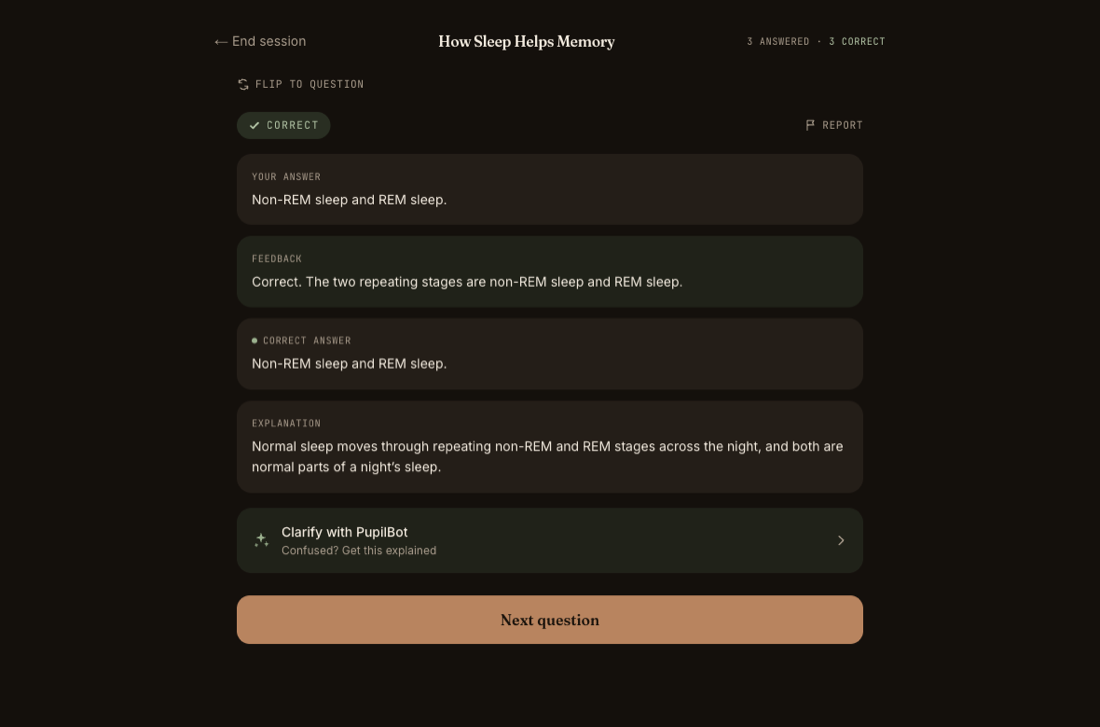
Front What are the two repeating stages of normal sleep?
Back Non-REM sleep and REM sleep.
In the app you type (or dictate) your answer first; the AI grades it against this reference and explains the difference.
Why can sleeping after learning help?
Correct answer: It can help stabilize and strengthen new memories
Sleep after learning can help the brain stabilize and strengthen newly formed memories.
Front How can sleeping after you learn something help your memory?
Back It helps stabilize and strengthen new memories so they are easier to recall later.
In the app you type (or dictate) your answer first; the AI grades it against this reference and explains the difference.
Photos of handwritten notes, printed pages, handouts, whiteboards and slides. JPEG, PNG and HEIC from a phone are fine.
Yes — a screenshot is just an image. For a whole slide deck, exporting to PDF and importing it is faster.
Your uploads are stored privately in your account so the study can be rebuilt; you can delete a study at any time. See the Privacy.
Each study is built from the pages you gave it. Start a new study for new pages; every study keeps its own mastery scores.
Anki and Quizlet make you write the cards. PupilBot writes them from the photo — and grades your typed answer instead of asking you to grade yourself.
PupilBot is free to start. A paid subscription unlocks more usage; the web app, the iPhone app and the Telegram bot all use the same account. Your first study is free, up to 3 pages. Premium: up to 50 pages per study. 5 study uploads per day · 50 per month.