What is one important thing the brain does with new information during sleep?
Show the answer
Correct answer: It strengthens and organizes memories
During sleep, the brain continues processing information and strengthens useful memory connections.
Notes to quiz
Photograph your handwritten notes, import a PDF or paste text. PupilBot finds the topics, writes questions in five formats and quizzes you on them until you actually know the material.
Quiz me on my notes — free See how it works
Snap them with your phone camera, drop in a PDF, or paste text. Handwriting is fine — PupilBot reads it with OCR.
It splits your notes into topics and writes questions for each: single choice, multiple choice, fill-in-the-blank, short written answers and numeric answers.
Questions get harder as you improve and easier when you struggle. Every answer updates your mastery for that topic, and spaced repetition decides when each question comes back.
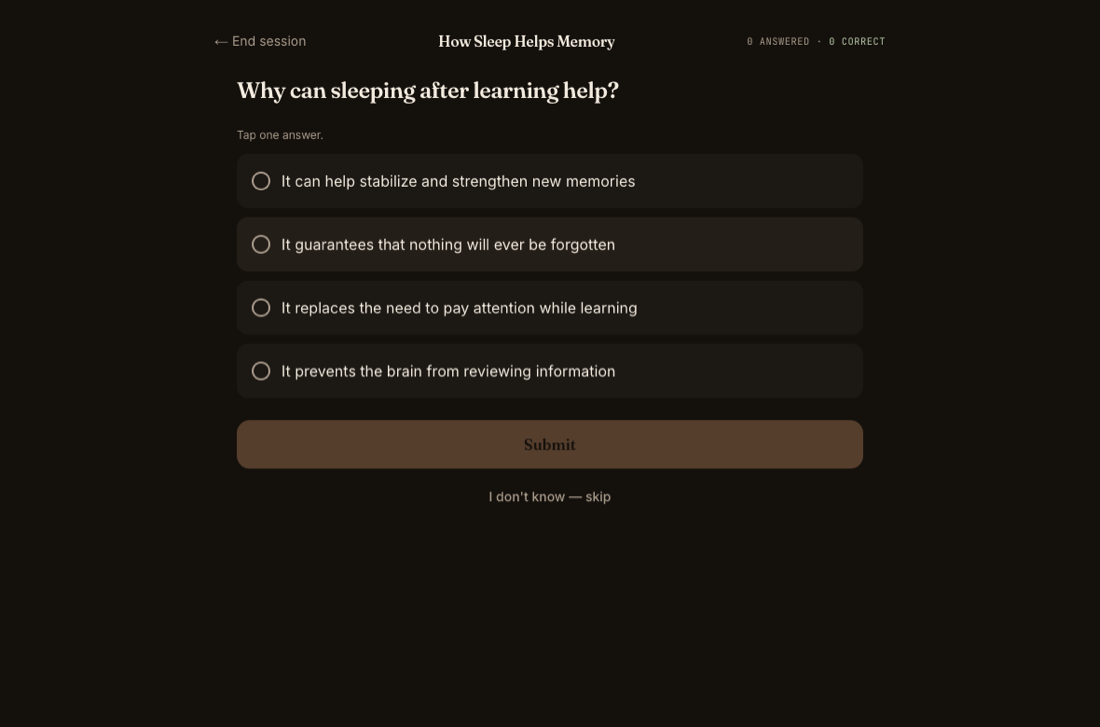
Here is what a quiz looks like. The excerpt is the source text; the questions below were built from it.
This is the demo study every new PupilBot account starts with: a short text, and the flash cards and questions built from it — the same shapes the generator produces for your own pages.
Sleep is not just a period of rest. While you sleep, the brain continues to process information from the day. It strengthens useful connections, organizes new memories, and makes some information easier to recall later.
What is one important thing the brain does with new information during sleep?
Correct answer: It strengthens and organizes memories
During sleep, the brain continues processing information and strengthens useful memory connections.
Why can sleeping after learning help?
Correct answer: It can help stabilize and strengthen new memories
Sleep after learning can help the brain stabilize and strengthen newly formed memories.
Which sleep schedule is generally easiest for the body to adapt to?
Correct answer: A fairly consistent bedtime and wake time
A consistent schedule helps the body follow a regular sleep-wake rhythm.
Yes, within reason. Clear handwriting and good light read best; if a page comes out wrong you can retake it.
It depends on how much material you bring. A page of dense notes typically yields a handful of questions per topic; a chapter yields dozens.
An AI grader compares your answer with the reference for meaning, not exact wording, and tells you what you missed.
Not yet in the web app. PupilBot picks the format per topic: flash cards for recall, choice questions for recognition, fill-in-the-blank and numeric answers where the material calls for them.
In the browser you practise when you want. Connect the Telegram bot and it sends review questions when they come due.
PupilBot is free to start. A paid subscription unlocks more usage; the web app, the iPhone app and the Telegram bot all use the same account. Your first study is free, up to 3 pages. Premium: up to 50 pages per study. 5 study uploads per day · 50 per month.