Comparison
PupilBot vs Anki: which one fits the way you study?
Anki is a free, open-source flashcard app with a strong scheduler and complete control over your cards, but you make the cards yourself. PupilBot writes the questions from pages you photograph, import or paste, grades your typed answers and schedules reviews with FSRS. If you enjoy building cards, Anki is hard to beat. If making cards is the step you keep skipping, PupilBot takes it off your hands.
Try PupilBot on your own pages How to switch
PupilBot and Anki, side by side
| What you get | PupilBot | Anki |
|---|---|---|
| How you add material | Photograph pages, import a PDF (pick pages, a range or a chapter), or paste text. | You write notes in the app, or download a shared deck. |
| Who writes the cards or questions | PupilBot writes the questions from your material, and each one quotes the sentence it is based on. | You, or the author of a shared deck. |
| Question formats | Single choice, multiple choice, fill-in-the-blank, written answer and numeric; matching pairs as an option on the web. | Front-and-back cards, reversed cards, cloze deletions and typed answers; note types and card templates are fully customisable. |
| How open answers are graded | You type or dictate your answer. AI grades it for meaning against the reference answer and the source, and explains what was missing. | You reveal the answer and rate yourself: Again, Hard, Good or Easy. Typed-answer cards compare your text character by character. |
| Spaced repetition | FSRS-6 sets a review date for every question; per-topic mastery decides which topic you practise next. | A mature per-card scheduler. FSRS is available as an option and can be tuned to your own review history. |
| Review reminders | Due questions can arrive as quizzes in Telegram, and the iPhone app sends practice reminders. | Depends on which Anki app you use. |
| Platforms | Web app (works in any phone browser), iPhone app and a Telegram bot, all on one account. | Windows, macOS and Linux, AnkiDroid on Android, AnkiMobile on iPhone, and AnkiWeb in the browser, kept in sync through a free AnkiWeb account. |
| Offline use | Needs a connection: questions are written and graded online. | Works fully offline; syncing is optional. |
| Price model | Free to start, with a paid subscription for longer studies and more uploads. | Free and open source on desktop, Android and the web; the iPhone app is a one-time purchase. |
| Best for | Practising your own notes, handouts, slides and textbook pages without writing cards first. | Learners who want full control, from medical students to language learners, and anyone who builds or shares decks. |
Anki changes over time. This table describes its long-standing core features as of October 2026, not every recent addition, so check Anki's own site for what is current.
Where Anki is the better choice
- Free and open source. Anki costs nothing on desktop, Android and the web, and its code is open. Your collection is a file you own and can back up.
- Total control over every card. You decide exactly what goes on each card, with custom note types, templates, tags and a large catalogue of add-ons. In PupilBot, the app decides how each question is worded.
- Huge shared decks. For big exams and popular languages, shared decks often cover the material already. PupilBot has no deck library; it works only from material you add.
- Offline, with a long-standing community. Anki works with no connection at all, and its community has been writing guides, decks and add-ons since 2006. PupilBot needs a connection to write and grade questions.
Where PupilBot is different
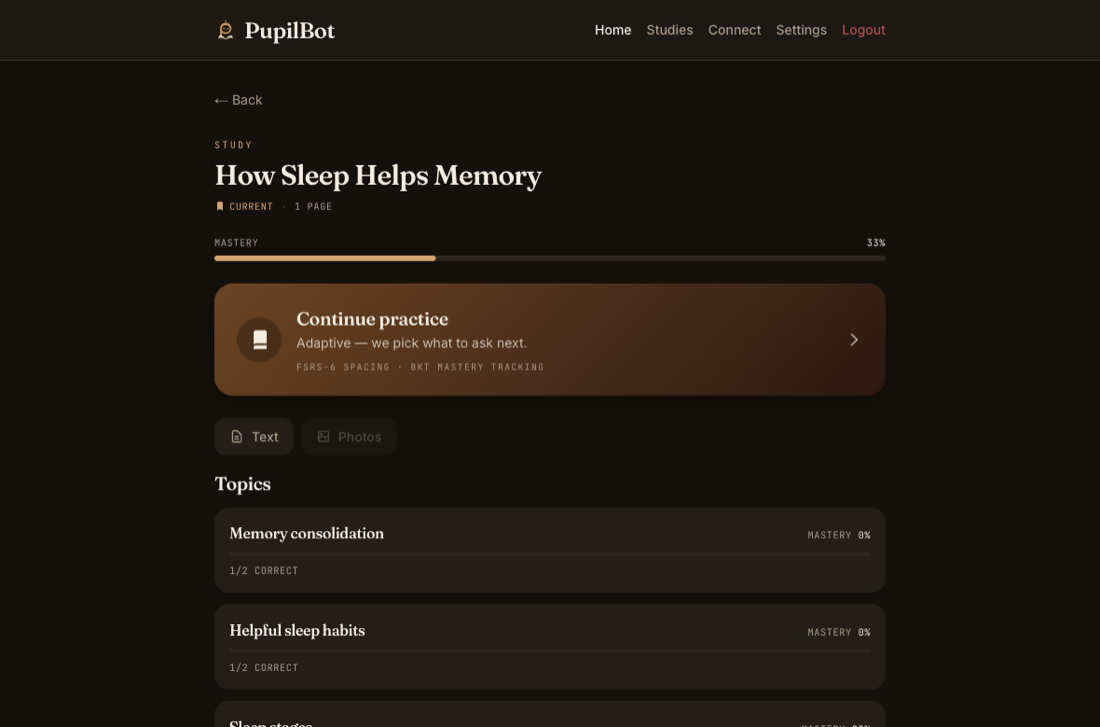
- No card-making. Photograph notes, a handout or a textbook page, or import a PDF and pick pages or a chapter. PupilBot finds the topics and writes the questions, so the time you would spend making cards goes into practice.
- A source quote behind every question. PupilBot keeps a question only if it can quote the sentence in your material that backs the answer, and you see that quote after you answer. If a question still looks wrong, you can ask for a re-check, and a confirmed bad one is removed.
- Graded answers instead of self-rating. You type or dictate an answer, and AI grades it for meaning, fill-in-the-blank and written answers included, then explains what was missing. You never have to decide yourself whether a half-right answer counts.
- FSRS plus topic mastery, and quizzes in Telegram. PupilBot schedules every question with FSRS-6 on its published default parameters. On top of that it tracks mastery per topic and sends practice to weak topics first, and due questions can arrive as quizzes in Telegram.
Move from Anki to PupilBot
Export your notes from Anki
In Anki on your computer, choose File → Export, set the format to Notes in Plain Text, pick the deck, and untick “Include HTML and media references” to get clean text.
Open the file and copy the text
The export is a .txt file with one note per line and the fields separated by tabs. Open it in any text editor and copy the part you want to study.
Paste the text into PupilBot
In the web app, start a new study and choose “Paste or type text”. Paste the export, add a title if you like, and create the study. On the free plan your first study takes up to 15,000 characters; a paid plan takes up to 250,000 per study.
Practise the new questions
PupilBot finds the topics in the text and writes its own questions from it. It does not copy your cards one-to-one. The first questions are usually ready in about a minute, and more are written as you practise.
What does not carry over: images, audio, your review history and your Anki schedule. PupilBot starts every question on a fresh FSRS schedule. Cards written in full sentences give PupilBot more to work with than single-word cards.
Frequently asked questions
Is PupilBot a good Anki alternative?
For some students. If you enjoy building your own cards, want open-source software or study offline, stay with Anki. If you skip spaced repetition because making cards takes too long, PupilBot writes the questions from your own pages and schedules them for you.
Can I import my Anki deck?
Yes, as text. Export the deck as Notes in Plain Text and paste it into PupilBot as a text study. PupilBot writes new questions from the text instead of copying cards one-to-one; images, audio and your review history do not transfer.
Does PupilBot use FSRS like Anki?
Yes. Every question gets an FSRS-6 schedule at 90% target retention, on the published default parameters. Unlike Anki, PupilBot does not yet tune those parameters to your own review history.
Do I still grade myself?
No. You answer first, and PupilBot grades the answer: choice questions directly, and written, fill-in-the-blank and numeric answers with AI, against the reference answer and the source quote.
Does PupilBot work offline like Anki?
No. PupilBot writes and grades questions online, so you need a connection to practise.
Is it free?
PupilBot is free to start. A paid subscription unlocks more usage; the web app, the iPhone app and the Telegram bot all use the same account. Your first study is free, up to 3 pages. Premium: up to 50 pages per study. 5 study uploads per day · 50 per month.