Comparison
PupilBot vs Quizlet: which one fits the way you study?
Quizlet is built around sets of flashcards that you or other students make. PupilBot starts from your own pages: you photograph them, import a PDF or paste text, and it writes the questions, grades your answers and schedules your reviews. They solve different problems, and plenty of students use both.
Try PupilBot on your own pages How to switch
PupilBot and Quizlet, side by side
| What you get | PupilBot | Quizlet |
|---|---|---|
| How you add material | Photograph pages, import a PDF (pick pages, a range or a chapter), or paste text. | Type terms and definitions, import a list, or find a set someone else shared. |
| Who writes the cards or questions | PupilBot writes the questions from your material, and each one quotes the sentence it is based on. | You, or whoever made the set you found. |
| Question formats | Single choice, multiple choice, fill-in-the-blank, written answer and numeric; matching pairs as an option on the web. | Flashcards, plus study modes built from your cards, such as Learn, Test and the Match game. |
| How open answers are graded | You type or dictate your answer. AI grades it for meaning against the reference answer and the source, and explains what was missing. | Typed answers are checked against the text on the card. |
| Spaced repetition | FSRS-6 sets a review date for every question; per-topic mastery decides which topic you practise next. | Learn mode keeps bringing back the terms you miss. |
| Review reminders | Due questions can arrive as quizzes in Telegram, and the iPhone app sends practice reminders. | Optional study reminders in the mobile apps. |
| Platforms | Web app (works in any phone browser), iPhone app and a Telegram bot, all on one account. | Web, plus iPhone and Android apps. |
| Offline use | Needs a connection: questions are written and graded online. | Offline study in the mobile apps is part of the paid plan. |
| Price model | Free to start, with a paid subscription for longer studies and more uploads. | Free to use, with a paid subscription for extra features. |
| Best for | Practising your own notes, handouts, slides and textbook pages without writing cards first. | Ready-made sets, vocabulary drills, and classes where a teacher shares sets. |
Quizlet changes over time. This table describes its long-standing core features as of October 2026, not every recent addition, so check Quizlet's own site for what is current.
Where Quizlet is the better choice
- A huge library of ready-made sets. If your course is a common one, someone has probably already made a set for it, and finding it takes seconds. PupilBot has no shared library to search; it only works from material you add.
- Classes and teachers. Teachers can share sets with a class and run live games in the classroom. PupilBot has no class or teacher features; it is built for one student and their own material.
- Games and quick drills. Match and the other game modes make short sessions fun, especially for vocabulary. PupilBot practice is a plain question-and-answer flow.
- An Android app. Quizlet has a native Android app. PupilBot works in any phone browser, Android included, but its only native app is for iPhone.
Where PupilBot is different
- It starts from your pages. Photograph handwritten notes, a handout or a textbook page, or import a PDF and pick the pages or the chapter you need. You never type a card.
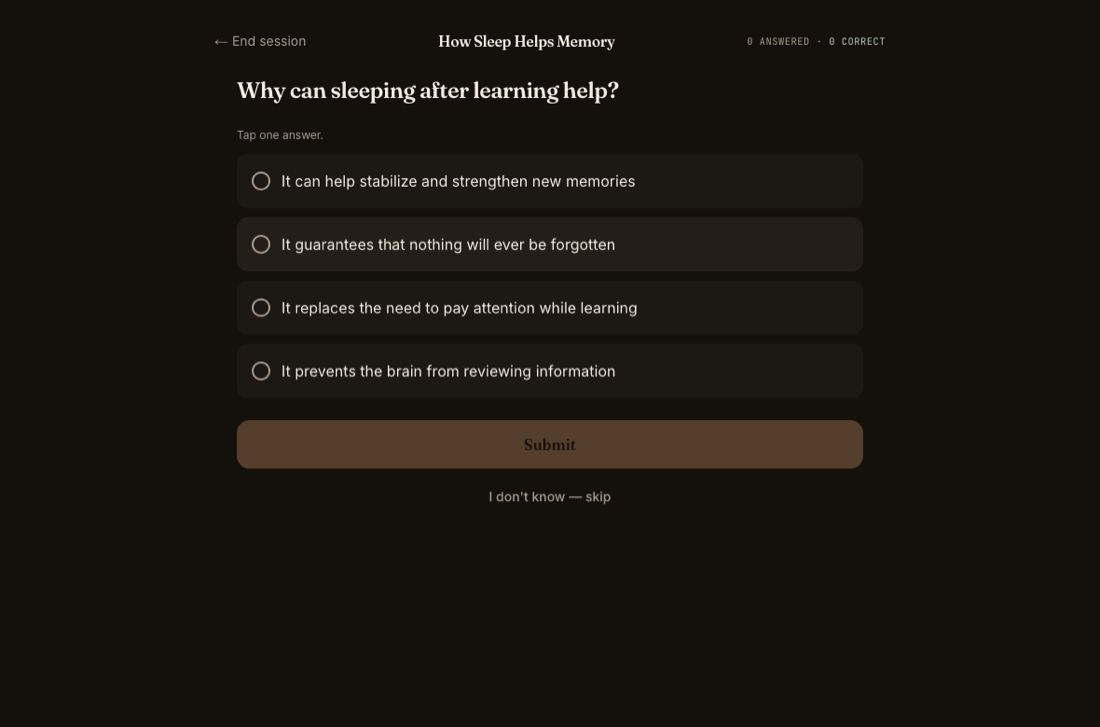
- Every question shows its source. PupilBot keeps a question only if it can quote the sentence in your material that supports the answer. After you answer, you see that quote, so you can check the question against your notes.
- Answers graded for meaning. For written, fill-in-the-blank and numeric questions, AI compares what you meant with the reference answer instead of matching exact words, then explains what was missing. If a grade looks wrong, you can ask for a re-check.
- Spaced repetition and topic mastery. Every question gets its own FSRS-6 review date, and PupilBot tracks how well you know each topic, so practice goes to your weak topics first. Due questions can come to you as Telegram quizzes.
Move from Quizlet to PupilBot
Export the set from Quizlet
Open the set on the Quizlet website, open the ⋯ (more) menu and choose Export. Quizlet shows the set as plain text. If Export is not offered for a set, copy the terms from the set page instead.
Copy the text
Copy the whole export. The default separators (a tab between term and definition, a new line between cards) are fine, because PupilBot reads the text the way it reads notes.
Paste the text into PupilBot
In the web app, start a new study and choose “Paste or type text”. Paste the export, add a title if you like, and create the study. On the free plan your first study takes up to 15,000 characters; a paid plan takes up to 250,000 per study.
Practise the new questions
PupilBot finds the topics in the text and writes its own questions from it. It does not copy your cards one-to-one. The first questions are usually ready in about a minute, and more are written as you practise.
What does not carry over: images on cards and your Quizlet progress. PupilBot starts every question on a fresh review schedule. A bare word list works, but definitions with some context give PupilBot more to write good questions from.
Frequently asked questions
Is PupilBot a good Quizlet alternative?
It depends on what you use Quizlet for. If you mostly study sets other people made, or your teacher runs your class on Quizlet, Quizlet fits better. If you want practice questions from your own notes, slides or textbook without typing cards, PupilBot is built for that.
Can I import my Quizlet sets into PupilBot?
Yes, as text. Export the set from Quizlet and paste it into PupilBot as a text study. PupilBot then writes its own questions from the text; it does not copy your cards one-to-one, and images and progress do not transfer.
Does PupilBot have ready-made study sets?
There is no library to search. A student can publish one of their own studies as a public link, but PupilBot is designed around material you add yourself.
Can I use PupilBot and Quizlet together?
Yes. Some students keep Quizlet for shared vocabulary sets and use PupilBot for lecture notes and textbook chapters. The two apps do not sync with each other.
Can teachers use PupilBot with a class?
Not yet. PupilBot has no class rosters or teacher dashboards. Each student uses their own account and their own material.
Is it free?
PupilBot is free to start. A paid subscription unlocks more usage; the web app, the iPhone app and the Telegram bot all use the same account. Your first study is free, up to 3 pages. Premium: up to 50 pages per study. 5 study uploads per day · 50 per month.